
AccelLogger1.0.4 - Get APK
You'll be able to download in few seconds.
Publisher Description
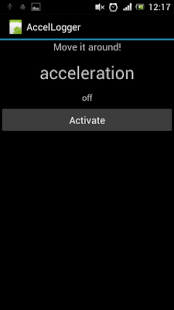
Simple App that logs accelerometer data to the external memory (typically in /sdcard/accellogger/) as CSV file (time stamp, absolute acceleration and acceleration in x, y and z axes -> tab separated) and also allows to view the absolute acceleration value as a graph directly on the phone.
This app has been successfully used to analyzed the ground contact times of jumps on a Sony Xperia Ray (see paper reference below). However, other phones (such as Samsung Galaxy SII) might have a limited measuring range so that this does not work with them. But hey, this App is free, so simply download and try it with your phone! Perhaps you find other cool applications for it?! Then please let me know. ;-)
Any feedback on measuring ranges and sampling rates of other phones is highly appreciated, you are welcome to just post it in the comments here.
Please cite the following references if you successfully do any scientific work with this App:
Hummel, O., Fehr, U. & Ferger, K. (2013). Beyond iBeer – On the Potential of Smartphone Sen-sors for Performance Diagnostics in Sports. International Journal of Computer Science in Sport. 12 (1), 46-60.
The Abstract can be found here:
http://iacss.org/fileadmin/user_upload/IJCSS_Abstracts/Vol12_2013_Ed1/IJCSS-Volume12_2013_Edition1_Abstract_Hummel.pdf
O. Hummel & U. Fehr: Möglichkeiten zur Nutzung handelsüblicher Mobiltelefone in der Analyse von Sprungbewegungen (in German), in Proceedings of Sportinformatik 2012.
English title roughly: Possibilities for Using off the Shelf Smartphones for Analyzing Jumps
You can download the paper here: http://www.informatik.uni-konstanz.de/index.php?eID=tx_nawsecuredl&u=0&file=fileadmin/informatik/ag-saupe/Sportinformatik_2012/full_papers/9.pdf
Tested Phones, sampling rates and measuring ranges (without warranty for correctness):
Sony Xperia Ray: 100 Hz, +/- 40 m/s^2
Samsung Galaxy S II: 100 Hz, +/- 20 m/s^2
Motorola Razor: 100 Hz, +/-80 m/s^2
About AccelLogger
The company that develops AccelLogger is Oliver Hummel. The latest version released by its developer is 1.0.4.
To install AccelLogger on your Android device, just click the green Continue To App button above to start the installation process. The app is listed on our website since 2015-09-26 and was downloaded 0 times. We have already checked if the download link is safe, however for your own protection we recommend that you scan the downloaded app with your antivirus. Your antivirus may detect the AccelLogger as malware as malware if the download link to net.zehnkampf.accellogger is broken.
How to install AccelLogger on your Android device:
- Click on the Continue To App button on our website. This will redirect you to Google Play.
- Once the AccelLogger is shown in the Google Play listing of your Android device, you can start its download and installation. Tap on the Install button located below the search bar and to the right of the app icon.
- A pop-up window with the permissions required by AccelLogger will be shown. Click on Accept to continue the process.
- AccelLogger will be downloaded onto your device, displaying a progress. Once the download completes, the installation will start and you'll get a notification after the installation is finished.
Program Details
System requirements
Download information
Pricing
Version History
version 1.0.4
posted on 2015-09-26
Version 1.0.4,- added a simple switch that allows including resp. excluding gravity in absolute acceleration measurements,Version 1.0.3,- added the path of the saved data to the summary of a recording session,Version 1.0.2,- solves the issue that stored data was not visible in Windows Explorer (when connected via USB) until a reboot of the device,Version 1.0.1,- shows maximum x, y, and z acceleration as well
version 1.0.3
posted on 2013-04-19
Several fixes and updates
Disclaimer
External Download
We do not host AccelLogger on our servers. We did not scan it for viruses, adware, spyware or other type of malware. This app is hosted by Galad and passed their terms and conditions to be listed there. We recommend caution when installing it.
The APK Download link for AccelLogger is provided to you by apps112.com without any warranties, representations or guarantees of any kind, so access it at your own risk.
If you have questions regarding this particular app contact the publisher directly. For questions about the functionalities of apps112.com contact us.
